
Subscription questions

Got a question about subscriptions?
For the fastest response, see the section of frequently asked questions below. If you don’t find a good answer, then just email me.
Trouble Logging In?
Don’t worry — this happens sometimes. Here are a few quick fixes.
Try a different browser. If you’re using Safari, try Chrome or Firefox. This solves the problem most of the time.
Try a private or incognito window. On Safari: tap the tabs icon, then “Private.” On Chrome: tap the three dots, then “New Incognito Window.”
Log in from there. If it works, your browser was holding onto old data.
Clear your browser data for FiddleHed. On Safari: go to Settings → Privacy → Manage Website Data. Search for “fiddlehed” and delete it. Then try logging in again.
Still stuck? Email us. We’ll get you sorted out quickly so you can get back to playing!
How can I get a refund?
If you were charged for a subscription you don’t want, or are not satisfied with the FiddleHed course, please email us and we will refund your payment.
Our policy is simple. We don’t want anyone to pay for this if they don’t want it.
Thanks!
How do I cancel or upgrade my subscription?
Cancel subscription
If you’d like to cancel, renew or update your subscription, here are the steps you take:
1. Go to your Account page by clicking the red box with your username.
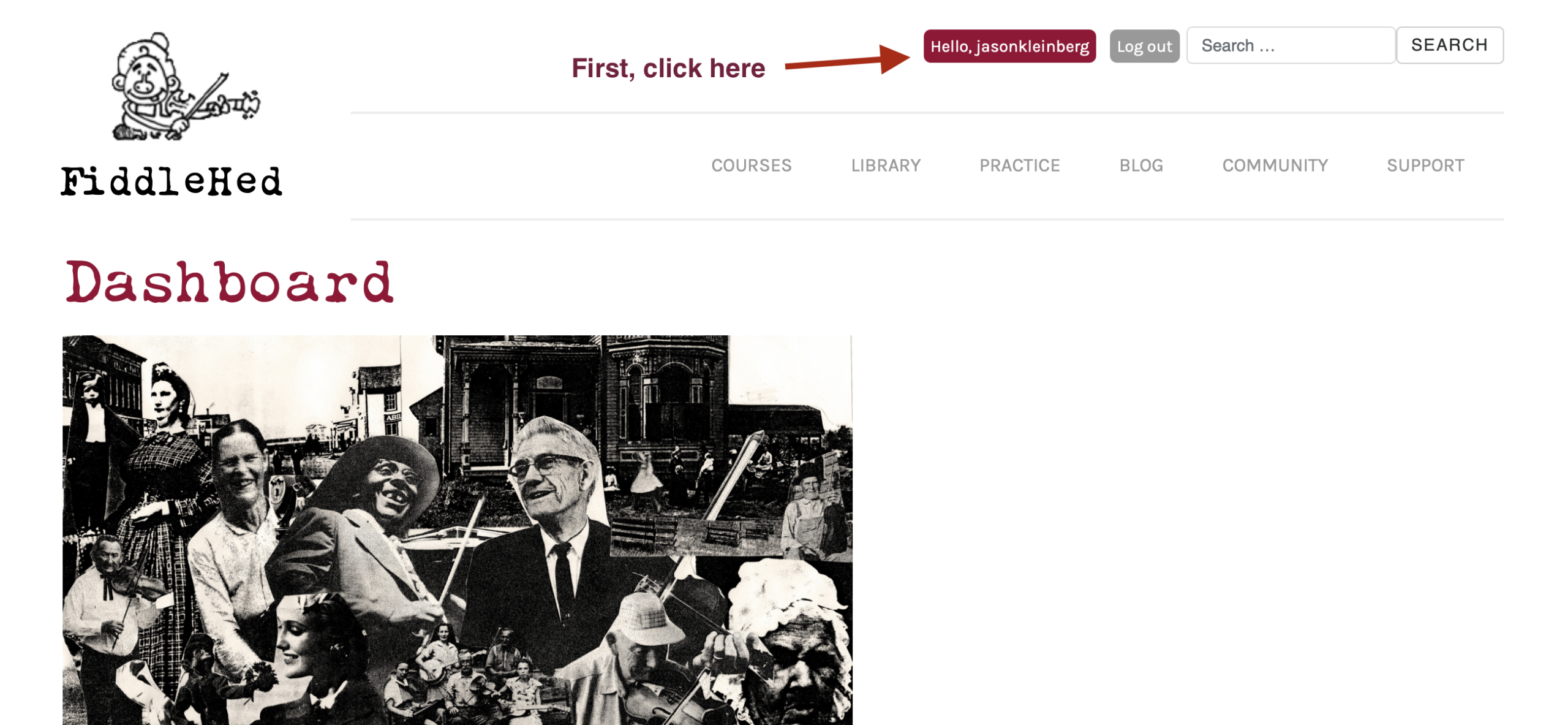
2. Go to the Subscriptions page.
3. On the right-hand column, select “Cancel”.

Here’s a video tutorial to help with this:
Upgrade subscription plan
If you’d like to upgrade to an All-access Yearly subscription, here are the steps you take:
- Go to this page: All-access Yearly Subscription.
- If you are part way through your current subscription, you’ll notice that the subscription is pro-rated. (See the video)
- Complete the form to buy the All-access Yearly.
If you have questions or problems, email me any time and I’ll find a way to resolve the issue. If you ever pay for something you don’t want, I’ll refund the money, no questions asked.
How do I update my credit card info?
- Click the red button with your username to go to your account page.
- Click the “Subscriptions” tab.
- Find the row for your current paid subscription. On the left-hand side, click “Update.”
- You will be sent to a page where you can update your credit card info.
How do I change my password?
- Click the red button with your username to go to your account page.
- Scroll down the page and click “Change password.”
Will my course progress and saved items remain on my account if my subscription is inactive?
Yes 🙂
If you pause/cancel your subscription, rest assured, your course progress and saved items will remain on your account for continued use.
Still have a question or problem regarding subscriptions?
No problem. Just email us.
Best to you on your fiddle journey,
-Jason
